

The capture layer
The input layer of the grounding stack. iPad LiDAR today; depth cameras, UMI grippers, instrumented gloves, and force-torque sensors as capture hardware matures. Any device that touches the physical world enters here and leaves as one thing: a typed, time-aligned, metrically grounded record. Realm builds digital twins from it. Veron calibrates simulation against it.
Environments
Turn any space into a navigable digital replica
Point an iPad at a room. Walk through it. CLAP captures geometry, texture, objects, and dimensions and reconstructs a photorealistic 3D model you can walk through on-screen.
No special equipment. No photogrammetry expertise. Walk and scan.
CLAP room walkthrough: geometry, texture, and depth captured in real time.
How it works
1. Scan
Hold the iPad and walk through the space. CLAP uses the LiDAR sensor to capture depth at 256x192 resolution, 30fps, alongside full-resolution RGB frames, camera poses, and surface confidence maps.
A real-time quality system monitors every frame:
- Motion blur detection via gyroscope and exposure analysis
- Depth confidence filtering (low / medium / high per pixel)
- Camera baseline tracking (minimum 3cm between frames)
- Surface coverage validation (floor, ceiling, 4 walls)
- Loop closure drift measurement
Frames that fail any gate are rejected automatically. The scan only saves when quality thresholds are met.
2. Reconstruct
The captured bundle (depth, RGB, poses, confidence maps) is processed through a volumetric fusion pipeline:
- TSDF Integration: Every depth frame is unprojected into 3D and fused into a truncated signed distance field at 1–2cm voxel resolution
- Confidence Filtering: Only medium and high confidence LiDAR pixels are integrated, rejecting noise from reflective surfaces, glass, and far range
- Mesh Extraction: Marching cubes extracts a watertight triangle mesh from the volume
- Cleanup: Connected component analysis removes floating fragments; thin sheet detection eliminates double-layer artifacts; observation counting removes geometry not confirmed by multiple viewpoints
3. Texture
The clean mesh is UV-unwrapped via triplanar parametrization, then each triangle is projected back into the best source RGB frame:
- Per-face frame scoring: visibility angle, distance, image center proximity, edge rejection
- Affine warping from source image to texture atlas via OpenCV
- Gap filling via neighbor propagation for surfaces not directly observed
- 4096x4096 texture atlas baked from real camera frames
The result is a photorealistic textured mesh: the actual captured appearance of the space, not a generative reconstruction.
4. Navigate
The textured mesh is packaged as a USDZ asset with collision geometry, walkable floor regions, and spawn points. A first-person viewer lets you walk through the captured space, collide with walls, and inspect any part of the geometry.
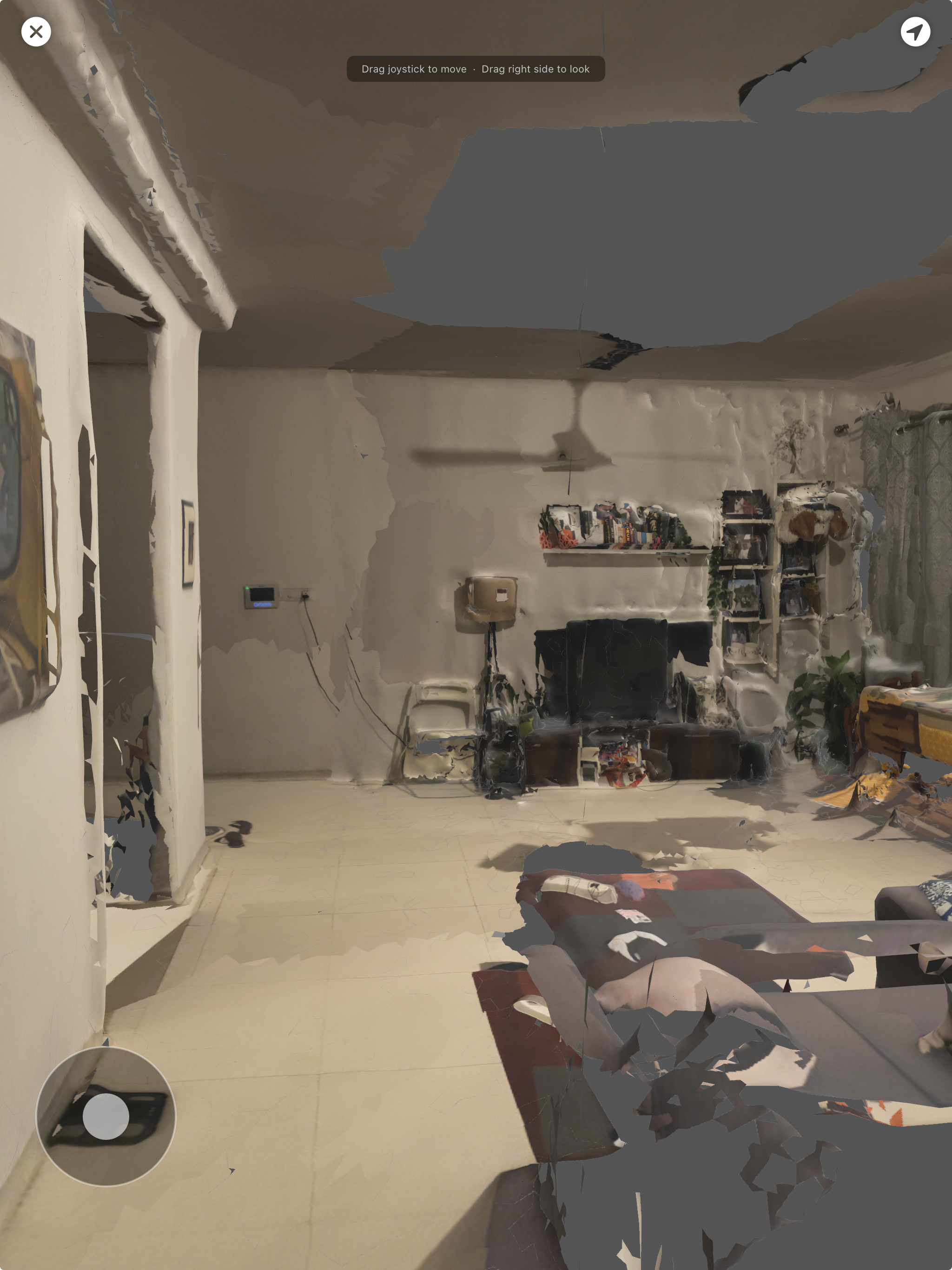
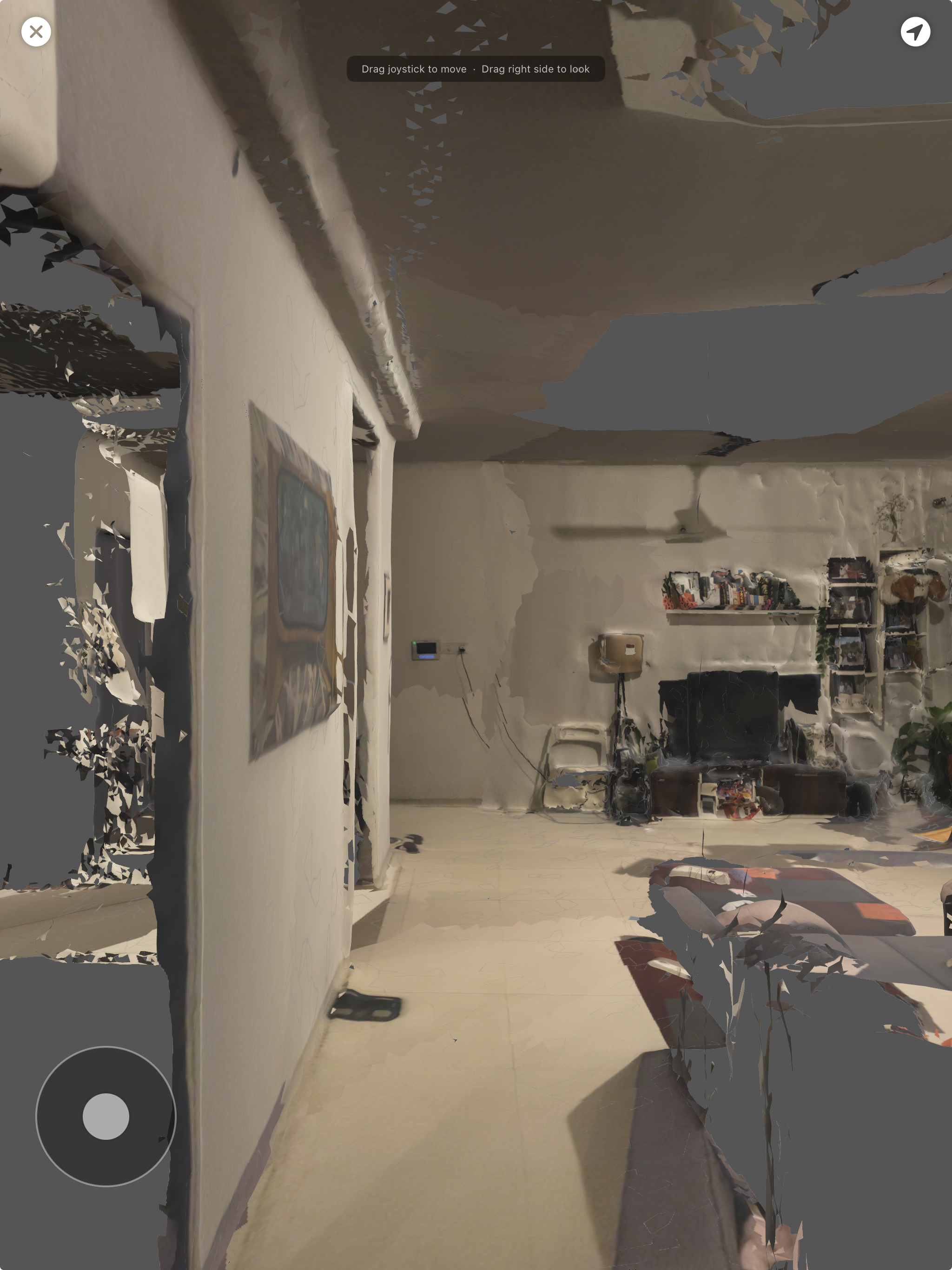
Two perspectives of the navigable reconstructed room from a single CLAP scan.
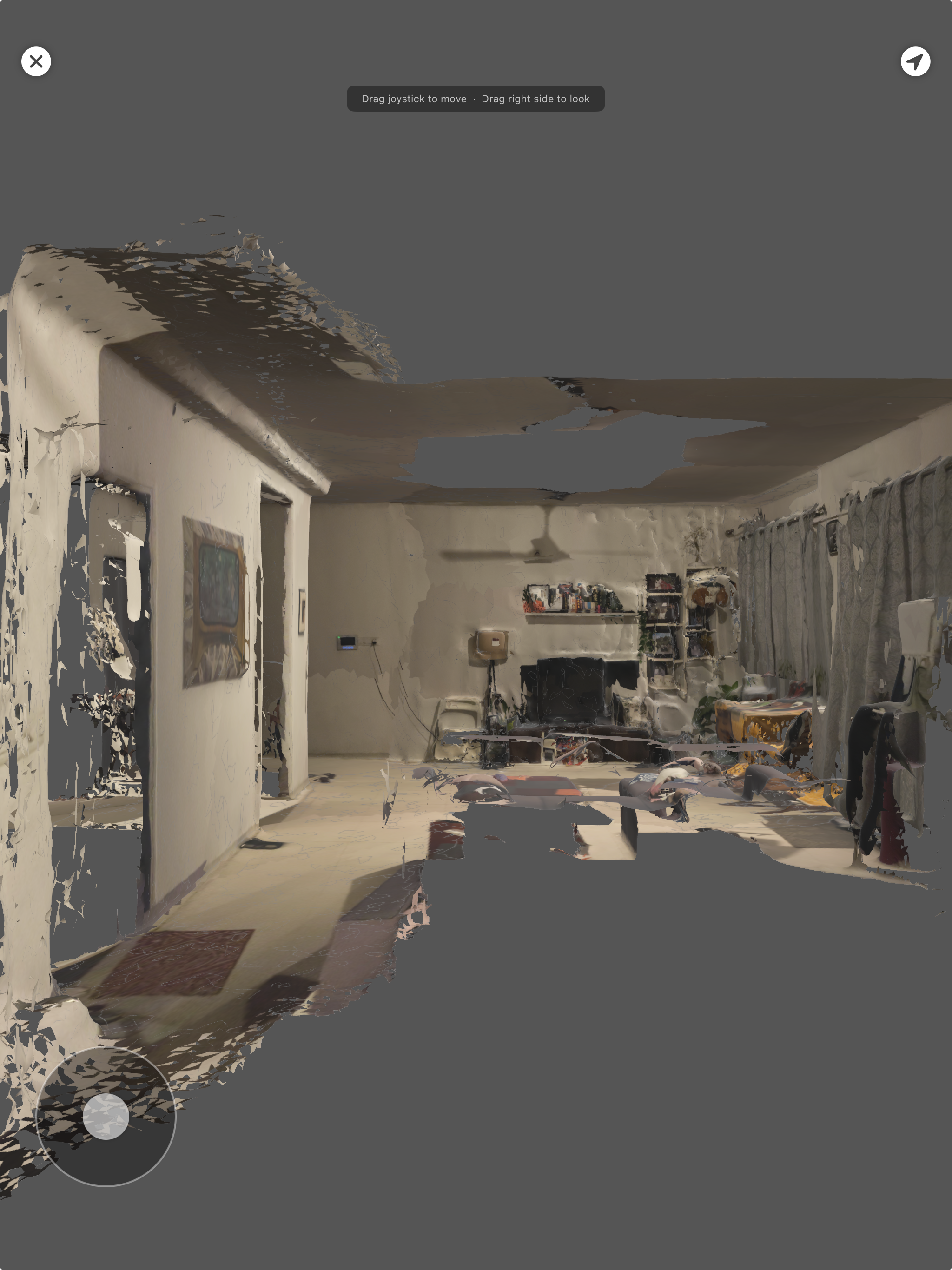
Wide view showing wall and furniture geometry from the same scan.
Technical specs
| Metric | Value |
|---|---|
| Scan time | 30–90 seconds |
| Depth resolution | 256 x 192 @ 30fps |
| RGB resolution | 1920 x 1440 |
| TSDF voxel size | 1–2 cm |
| Output mesh | 100K–200K faces |
| Texture atlas | 4096 x 4096 |
| Output format | USDZ |
What a single scan produces
- Navigable 3D walkthrough of the captured space
- Room dimensions (width, length, height) in metres
- Usable floor area and clear path length
- Detected objects with positions and bounding dimensions
- Textured mesh exportable as OBJ, PLY, GLB, or USDZ
- Collision mesh for physics simulation
- Walkable floor map with obstacle exclusion zones
Objects
Any object, captured and structured
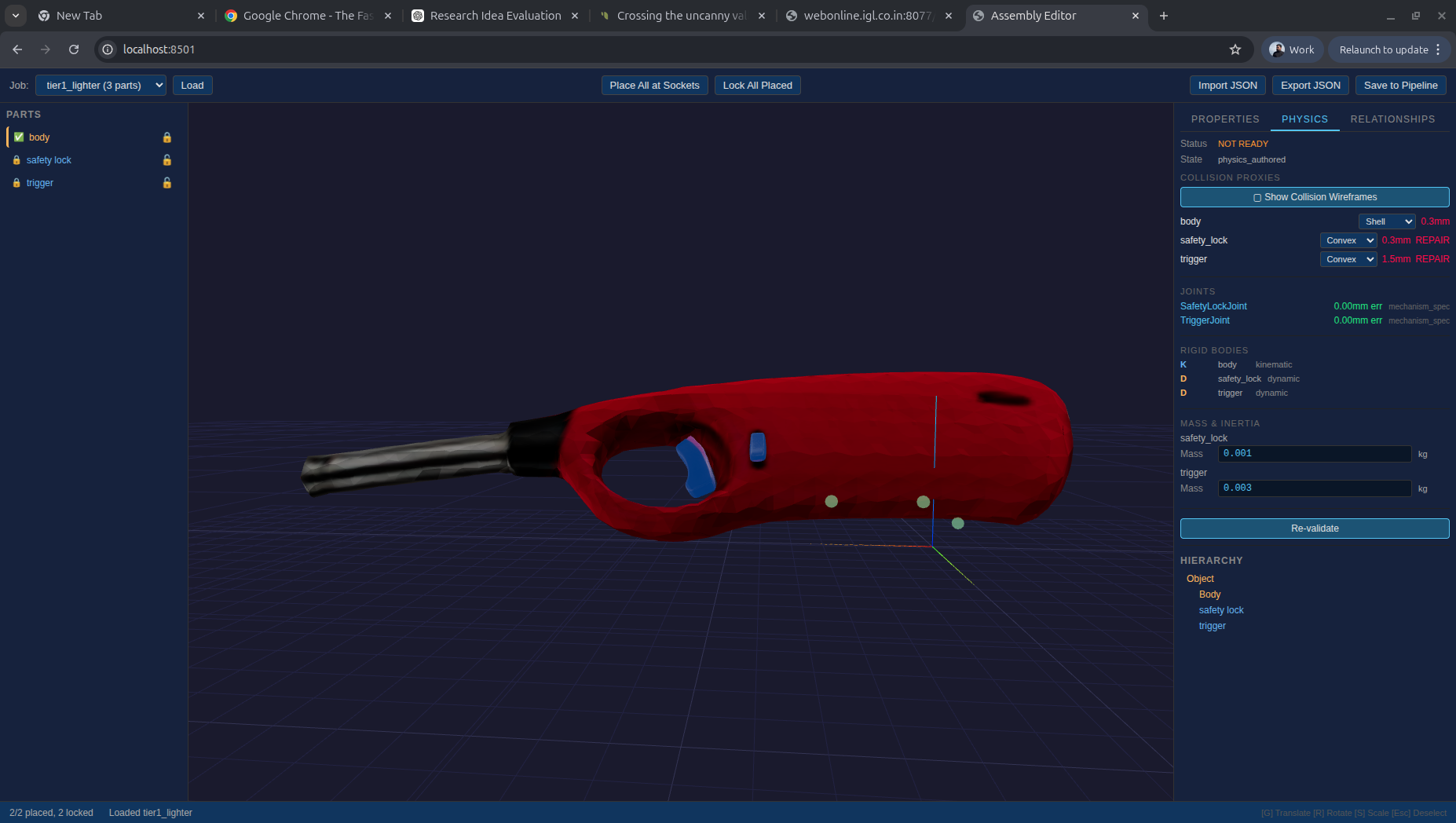
A few photos of any object (a kitchen lighter, a toilet, a drawer, a valve) and CLAP extracts its geometry, estimates its mass and scale, and labels its constituent parts. The output is a structured capture ready for Realm to build a physics-validated digital twin from.
The object class doesn’t matter. CLAP has been run across everyday household objects, industrial fixtures, and mechanical assemblies. What matters is that the geometry is clean, the scale is grounded, and the parts are identified.
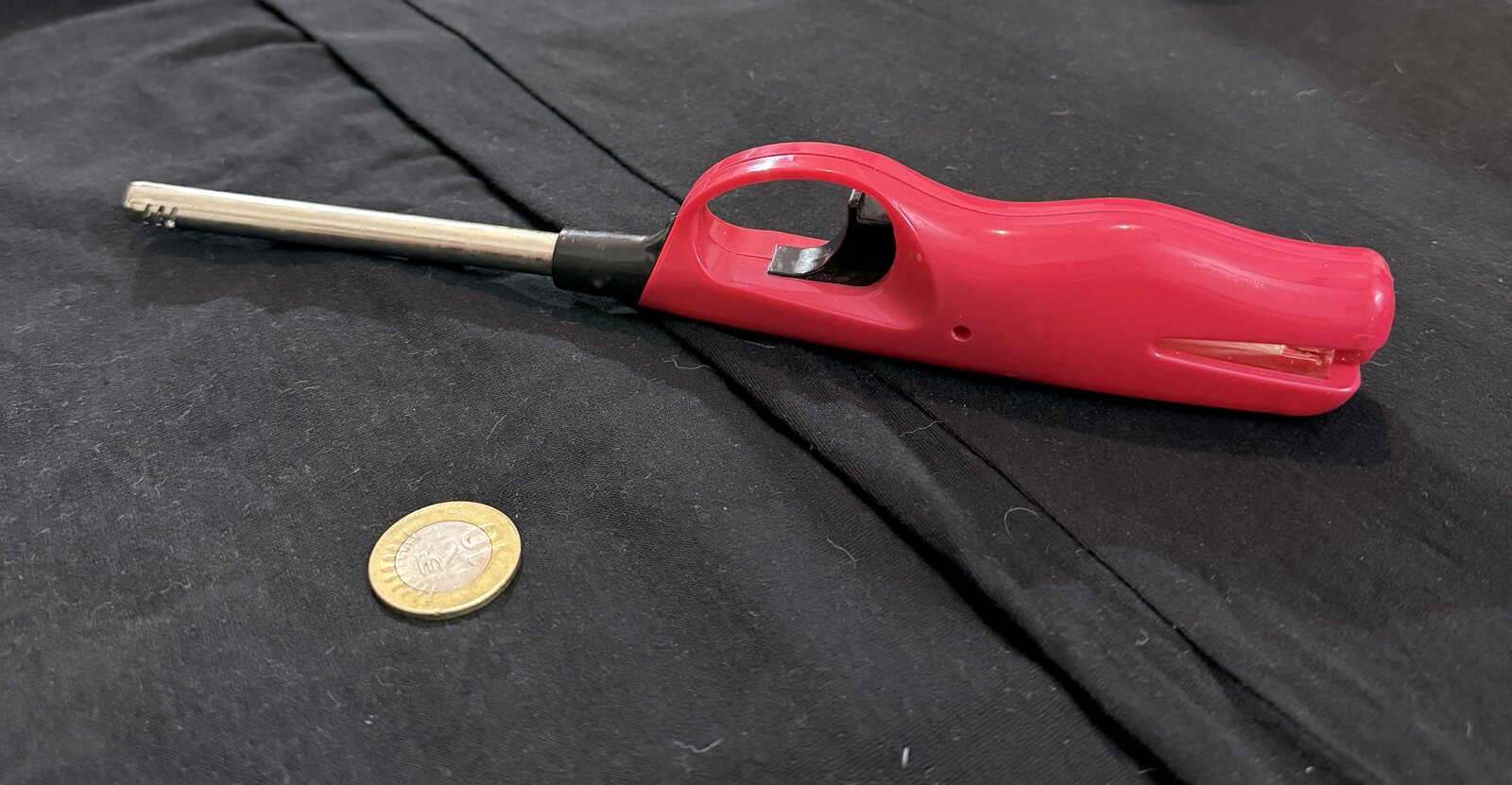
Input photograph (left) and the 3D reconstruction produced by CLAP (right).
Articulated objects are decomposed into their constituent parts. Below: the same toilet captured as a single assembled object, then broken into body and lid as separate components with the hinge joint between them preserved.
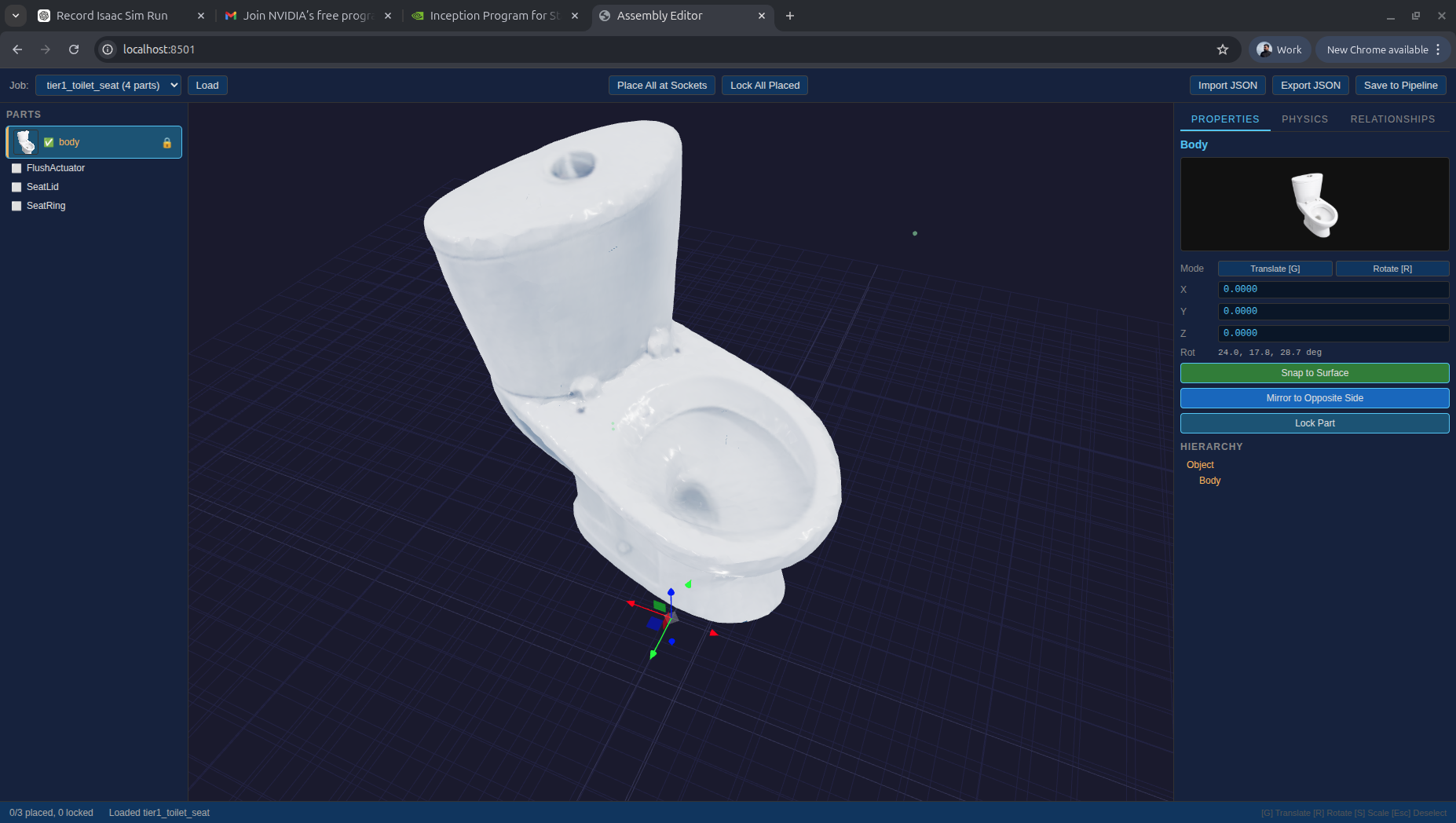
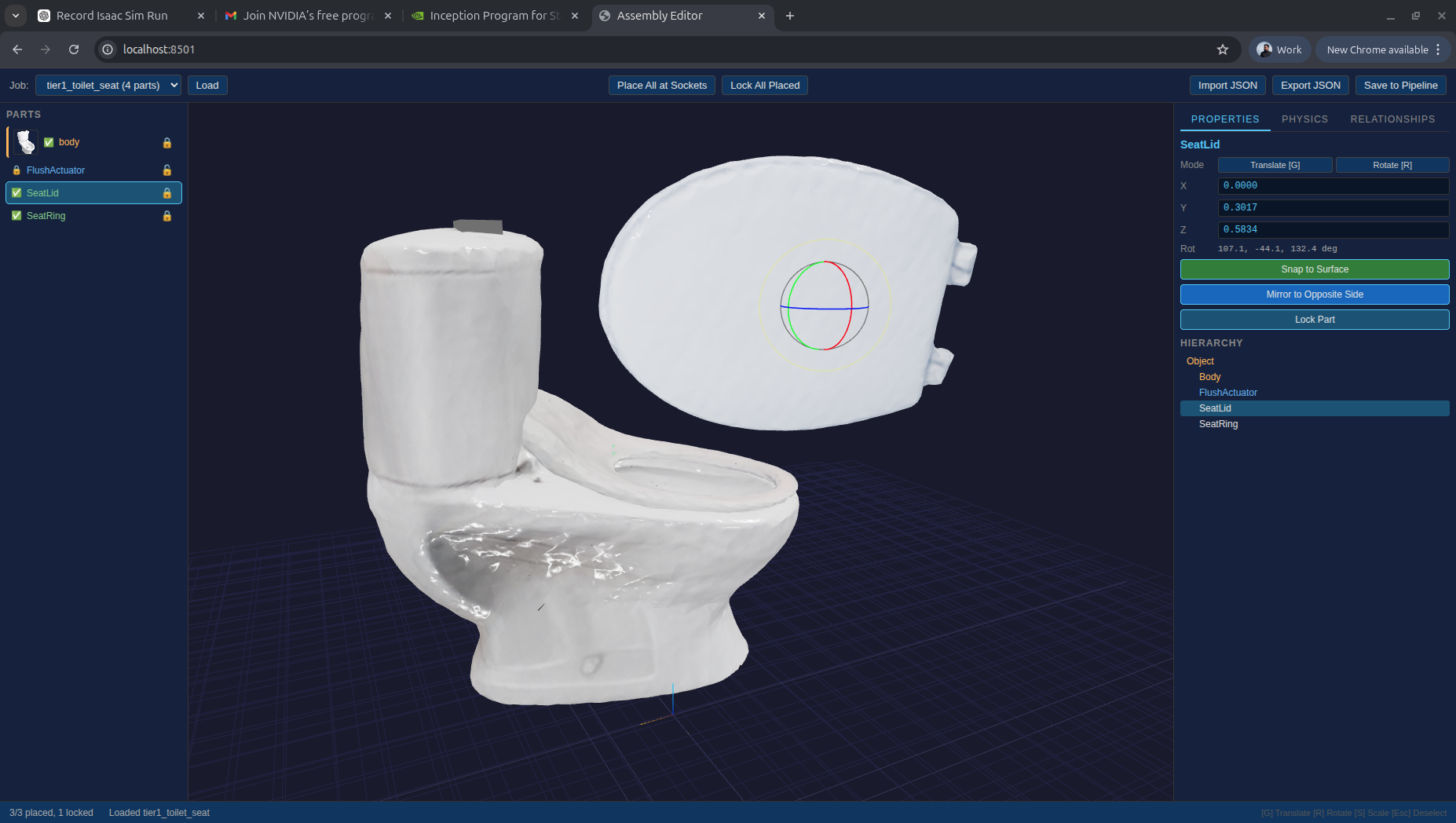
Assembled whole (left) and decomposed into articulated body and lid (right).
What object capture produces
- Surface geometry and watertight mesh
- Estimated mass and scale, grounded against reference dimensions
- Part segmentation: body, lid, trigger, handle as separate labelled components
- Articulation candidates (hinges, sliders, rotating joints) flagged for physics authoring in Realm
- Texture maps from source photographs
Task Execution
The complete manipulation record
The most valuable data in Physical AI is not a body moving in isolation or an object sitting in a scene. It is a person performing a specific task with a specific object: opening a container, operating a valve, loading a machine. That interaction, captured at the right fidelity, is the demonstration data that teaches a robot policy what to do and how to do it.
CLAP captures task execution by synchronising its visual, kinematic, and depth streams against a single temporal timeline. RGB video records the task at full resolution. ARKit tracks 91 body joints at up to 60fps simultaneously. MediaPipe provides 21-keypoint hand pose for each hand, giving fine-grained finger and grip data that body tracking alone cannot resolve. LiDAR grounds all of this in metric space.
MediaPipe 21-keypoint hand tracking: grip, trigger press, and state change (flame on) timestamped.
The resulting record is segmented into discrete action phases: approach, contact, manipulation, release. Object state is tracked across the sequence (position, orientation, and joint state before and after each manipulation event). Contact events are detected and timestamped. The output is a fully labelled multimodal record: which action was performed, by which joints, on which object part, producing which state change. Hand trajectories are retargeted from the human skeleton to robot gripper waypoints as part of the output record. Each capture is structured for direct ingestion into policy learning pipelines with minimal additional annotation.
This is the same data category that other Physical AI teams collect through thousands of hours of human teleoperation. The difference is that every CLAP task execution capture is tied to the same object that exists in Realm as a physics-validated digital twin. The demonstration and the simulation asset are built from the same source.
Motion quality
Raw ARKit body tracking is noisy. Joints jitter, bone lengths fluctuate, and depth discontinuities cause sudden position jumps. Training on that signal compounds the problem downstream. CLAP’s on-device stabilisation pipeline cleans the skeleton through five stages before any data leaves the device: confidence scoring, adaptive smoothing, Kalman-like velocity prediction, bone-length IK constraints, and gravity alignment.
| Metric | Raw ARKit | After CLAP Stabilization |
|---|---|---|
| Joint position jitter | 2–5 cm | < 0.5 cm |
| Bone length variation | 5–15% | < 1% |
| Joint angle noise | 5–10 degrees | < 1 degree |
| Depth discontinuities | Frequent | Eliminated |
| Tracking dropouts | Common | Smoothed through |
Sensor data
What the body feels
Visual and kinematic capture records what the body does. Sensor data records what the body feels. CLAP currently uses the iPad’s IMU for gyroscope-grounded motion stabilisation and exposure analysis. The near-term roadmap extends this to wearable force and torque sensors during task execution, giving Physical AI systems ground-truth contact data alongside the visual and kinematic record. Further out, tactile sensing opens the richer question of material properties: how a surface gives under pressure, how friction varies between materials, how compliance differs between a rigid valve and a soft food container. These distinctions matter for manipulation policies and are an active frontier in Physical AI research. CLAP is designed to ingest this data as capture hardware matures.
What CLAP hands off
Every capture leaves CLAP as structured, labelled data. Environments come out as textured meshes with object positions and floor maps. Objects come out as part-segmented geometry with mass estimates and articulation candidates. Task execution comes out as phase-labelled multimodal records with contact events, object state changes, and hand trajectories retargeted to robot gripper waypoints. Sensor data co-registers force, torque, and contact readings with the kinematic record.
The same contract closes the loop after deployment. When a robot in the field diverges from what simulation predicted, the raw telemetry it produces is just another capture: CLAP parses it into the typed evidence record that Veron routes to the responsible parameter. One intake, three consumers: Realm builds from it, policies train on it, Veron calibrates against it.
On the horizon
Today, capture is initiated by a person. The next step is capture that initiates itself. As Physical AI systems develop onboard perception (cameras, depth sensors, force feedback, acoustic sensors), every real-world deployment becomes a live CLAP input. A robot encountering an unfamiliar object captures it. A robot navigating a new space scans it. Every failure generates deployment telemetry. That stream flows back through CLAP continuously: deployment evidence to Veron for calibration, new captures to Realm for the library. The asset base grows without anyone manually collecting anything, and the Physical AI flywheel closes.
Next in the pipeline
Realm — physics authoring and qualification
Realm authors the physics layer on each captured asset: joint parameters, coupling contracts between parts, affordance maps, friction and mass values calibrated against physical references. Every asset runs a qualification gauntlet — watertight geometry, articulation integrity, coupling consistency, mass plausibility — before it can enter a training environment. None of the capture data reaches Veron without passing through this stage.
Read the deep diveTo see CLAP in action, contact us at hello@realarity.com with your use case.